
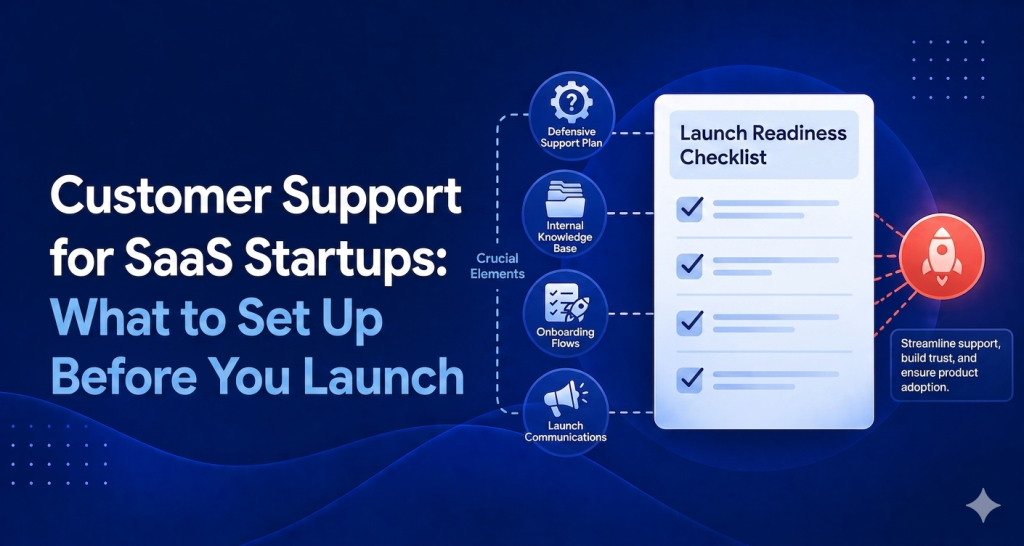
Most SaaS founders building their first product treat customer support as something to figure out after launch. That’s the wrong order. If you’re a SaaS startup founder getting ready to ship, your support infrastructure deserves the same pre-launch attention as your pricing page or onboarding flow — and this guide walks you through exactly what to set up for customer support as a SaaS startup before your first user shows up.
Why Support Setup Belongs Before Launch, Not After
Think about the first time a paying customer hits a bug at 11pm and has no way to reach you. They churn. You never find out why. That’s a failure mode you can prevent with one afternoon of work.
Beyond preventing churn, your support setup during the first few weeks is your best feedback loop. Early customers will tell you exactly what’s broken, confusing, or missing — but only if you make it easy for them to reach you. A buried contact form doesn’t count.
There’s also the first impression problem. For SaaS products, the support experience is part of the product experience. If someone can’t find an answer and there’s no chat widget, no help center, no obvious way to ask — they don’t assume the product is simple. They assume it’s abandoned.
Setting up support before launch isn’t about being perfect. It’s about being reachable, organized, and ready to learn.
The Minimum Viable Support Stack for a SaaS Startup Pre-Launch
You don’t need a full support team. You need four things working before you flip the switch.
1. A Shared Inbox (Not Your Personal Gmail)
Your personal Gmail inbox is not a support system. It has no tagging, no assignment, no visibility for future team members, and no way to track what’s been answered. The moment you have two customers emailing you, things fall through the cracks.
Set up a shared inbox at something like support@yourproduct.com that routes into a proper tool. This gives you threading, status tracking, and a paper trail. It also looks more professional when someone emails you and gets a reply from your domain instead of your personal address.
The goal here isn’t complexity — it’s organization. One place where support conversations live, visible to anyone who needs to see them.
2. A Help Center With 10 Core Articles
A help center sounds like a lot of work. It isn’t. Ten articles is a morning of writing. And those ten articles will deflect a significant chunk of your support volume before it ever hits your inbox.
The articles to write first: how to get started, how billing works, how to reset a password, how to do the three most common tasks in your product, what to do if something breaks, how to cancel (yes, write this one — it builds trust), and answers to the two or three questions you’ve already been asked in beta.
A public help center also signals maturity. It tells users you’ve thought about their experience beyond the signup flow.
3. A Live Chat Widget on Your App
Email support has a delay. For a new SaaS product with early customers, that delay kills momentum. If someone is stuck during onboarding and has to wait 24 hours for a reply, they may never come back.
A chat widget on your app gives users an instant way to ask questions in the moment they’re confused. You don’t need to staff it live 24/7 — especially not at the start. But it should be there, visible, and connected to your inbox so you can reply.
The widget is also a conversion tool. Users on the fence about upgrading will often ask a quick question in chat before they decide. If there’s no chat, they don’t ask — they leave.
4. One AI Response for Your Top 3 FAQs
Before launch, you already know your top FAQs. You’ve heard them in beta, in user interviews, from people you’ve demoed to. Write them down and train an AI agent to answer them automatically.
This isn’t about replacing human support. It’s about handling the easy, repetitive stuff at midnight when you’re asleep. Pricing questions. Trial limitations. How to connect an integration. These are answerable with a well-written paragraph — and an AI can deliver that paragraph instantly, at any hour, without you being involved.
This is the layer that separates “I check my inbox constantly” from “support is handled.”
What to Skip Until You Have Traction
There’s a long list of support infrastructure that makes sense at scale and no sense at pre-launch. Here’s what to skip.
Phone support. Unless your product is specifically for an audience that expects phone support (enterprise, healthcare, finance), phone is unnecessary overhead before you have customers. Text-based support is faster to manage, easier to track, and scales better.
Complex ticketing systems with SLAs. SLAs are commitments. Commitments before you know your support volume are just liabilities. Don’t promise four-hour response times to five customers if your product isn’t stable yet.
Full-time support hires. Not because support isn’t important — it is. But because a full-time support hire before you have 100 customers is expensive overhead that comes before product-market fit. Cover support yourself with good tooling, then hire when volume genuinely demands it.
Multi-channel support (Twitter DMs, Facebook Messenger, etc.). Consolidate first. Handle email and chat well. Add channels when customers are actively using them to reach you.
How HelpLoom Covers the Full Pre-Launch Stack
Here’s the honest math. The minimum viable support stack for a SaaS startup — shared inbox, help center, live chat widget, AI agent — would cost you several hundred dollars a month across multiple tools. Intercom’s starter plan runs well over $100/mo and that’s before usage fees. Zendesk starts at $55 per agent per month, which means even one support person costs $660/year just for the license.
HelpLoom covers the entire stack at $29/mo (unlimited support, shared inbox, help center, live chat) or $59/mo if you want the AI agent included. Flat rate. Unlimited users. No per-agent fees.
That means you can give inbox access to your co-founder, a contractor, and yourself without the cost tripling. It also means the AI agent that handles your overnight FAQs isn’t a premium add-on — it’s part of the plan.
Setup takes under three minutes. Copy-paste one script into your app. No engineering required. Joanna Sundharam, Head of Product at WisdomCircle, described going live in 20 minutes and seeing a direct impact on conversions. That’s the bar you should aim for.
The help center is built in, includes a sitemap.xml for SEO, and works with React, HTML, Webflow, WordPress, Shopify, Framer, and Bubble.
The Mistake: Buying Intercom or Zendesk Before You Have 100 Customers
This is a common one, and it’s worth saying directly. Intercom and Zendesk are built for companies with hundreds of thousands of users, complex support operations, and dedicated support teams. Their pricing reflects that. Their complexity reflects that.
When you’re a SaaS startup with 30 users, you don’t need a custom SLA policy engine or a support operations dashboard. You need an inbox, a help center, and a chat widget. Buying Zendesk at this stage is the equivalent of renting a 10,000 square foot office for a two-person company.
The other problem is the time cost. These tools take real engineering and administrative effort to set up properly. Zendesk’s configuration documentation is hundreds of pages. Intercom’s onboarding assumes a team with dedicated ops resources. If you’re a founder doing this yourself, that setup time is weeks of distraction.
Use the right tool for your stage. Start simple. Upgrade when complexity actually earns its keep.
The Pre-Launch Support Checklist
Before your first user arrives:
Support email address set up and routing to shared inbox
Ten help center articles written and published
Chat widget installed on your app (especially the onboarding screens)
AI agent trained on your top three FAQs
One person (probably you) actively monitoring the inbox
That’s it. That’s the floor. You can build from there as you learn what your customers actually need.
The goal isn’t a perfect support operation. The goal is being reachable, organized, and able to learn from every conversation that comes in.
Set Up Your SaaS Support Stack Before Launch
You have one afternoon. That’s enough to have a shared inbox, a help center, a live chat widget, and an AI agent handling your most common questions — all running before your first user signs up.
Start with HelpLoom free, set up your pre-launch support stack in under an hour, and go into launch day knowing your customers can reach you.
FAQs
Q: Who is this guide for?
People evaluating better customer support systems.
Q: Can AI replace support teams completely?
Usually no. AI handles repetitive questions best, with humans handling escalation.
Need help support tooling? Explore HelpLoom.