
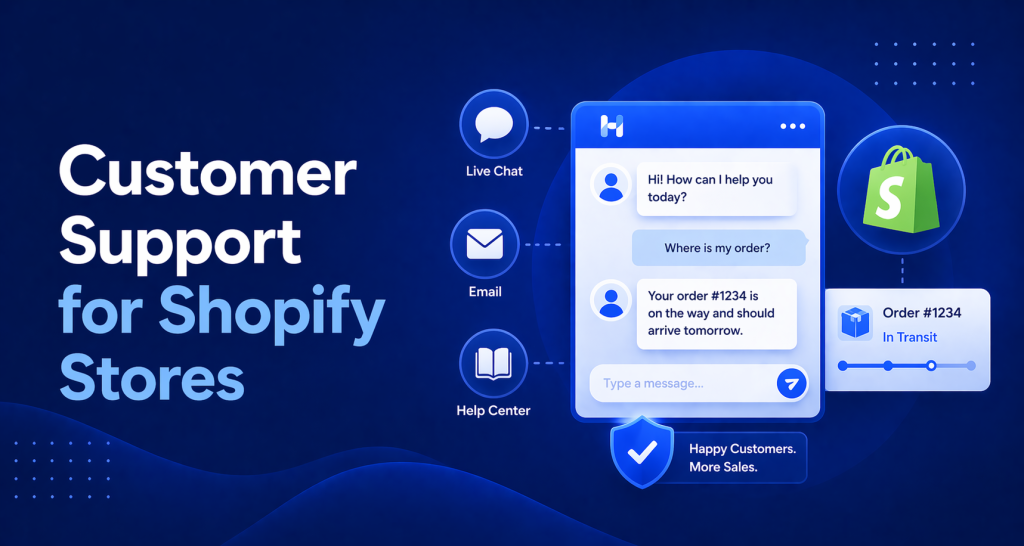
If you’re running a Shopify store with a small team, your customer support setup is probably held together with Gmail and good intentions.
One inbox. Multiple people sharing login credentials or being CCed on threads. Replies falling through the cracks. No way to see if someone already responded. A “where’s my order” email getting answered three times by different team members.
You know this isn’t working. The problem is that most support software is built for teams of 50, not teams of 3. The pricing, the features, the onboarding — it assumes you have a support manager and a budget to match.
This guide is for Shopify store owners who need a real support setup without the enterprise overhead. Here’s what you actually need, what you don’t, and how to get it running this afternoon.
The 4 Most Common Shopify Support Issues
Understanding what your customers actually ask about is the first step to building a support system that works.
For Shopify stores, the vast majority of support volume comes down to four categories:
Order status. “Where’s my package?” “It says shipped but tracking hasn’t updated.” “I ordered 5 days ago and nothing’s moved.” This is almost always the highest-volume category for any store doing real sales.
Returns and refunds. “I want to return this.” “It arrived damaged.” “Wrong size, can I exchange it?” These require human judgment, but a good FAQ handles the first part of the conversation automatically.
Shipping delays. Peak season, carrier issues, wrong address at checkout. Customers want to know what’s happening, and they want to know fast. A lot of this volume is preventable with proactive communication, but some always gets through to your inbox.
Product questions. “Does this come in XL?” “Is this compatible with X?” “What are the dimensions?” These are often pre-purchase questions, which means answering them well converts browsers into buyers.
Notice that the first three are almost entirely transactional. The information exists in your system — it’s just a matter of surfacing it efficiently. The fourth category (product questions) is where well-written documentation pays dividends.
None of these require enterprise software. They require a system with a shared inbox, order lookup, AI for the repetitive stuff, and a help center customers can find.
What Shopify Store Support Actually Needs
Here’s the short version of what a functional customer support setup looks like for a small Shopify merchant:
A Shared Inbox Where Any Team Member Can Respond
Not a shared Gmail password. A real shared inbox with visibility into which threads are open, which are assigned, and which have been resolved.
When someone asks a question and leaves for the day without answering, the next team member should be able to see it, pick it up, and respond without the customer ever feeling like they fell through the cracks.
Order Lookup Without Switching Tabs
When a customer emails about their order, your support person shouldn’t have to leave the inbox, go to Shopify admin, find the order, come back, and type the answer. That’s slow and error-prone.
Your support tool should surface order information directly in the thread view. Even basic order lookup — status, shipping carrier, tracking number — saves significant time across hundreds of conversations.
AI for the Repetitive Questions
“What’s your return policy?” has the same answer every time. “Do you ship to Canada?” has the same answer every time. “How long does standard shipping take?” Same answer, every time.
An AI that can handle these questions automatically means your team focuses only on the questions that actually need a human: damaged items, shipping exceptions, account issues, complex product questions.
For most Shopify stores, 40-60% of incoming tickets are repetitive FAQ-style questions. That’s 40-60% of your support workload that shouldn’t require a person at all.
A Help Center Customers Can Search Before They Email You
A searchable help center with your top 10-15 articles will deflect a meaningful percentage of tickets before they reach your inbox. Customers who find the answer themselves don’t send a ticket. That’s the best possible outcome.
The help center also does double duty as SEO content — well-written FAQ pages rank for long-tail product questions and support-related searches.
How to Set Up Customer Support for Your Shopify Store in an Afternoon
This is a four-step process. The whole thing takes 2-4 hours.
Step 1: Connect Your Email Inbox
Start with your existing support email (support@yourdomain.com or whatever you use). Connect it to your support tool so all incoming messages appear in one place, visible to your whole team.
This single step eliminates the shared-Gmail-login problem. Everyone can see what’s open, who’s responded, and what’s been resolved.
Step 2: Set Up AI Responses for Your Top 5 Questions
Before you go live with AI, write answers to the five questions your team gets most often. These become your first knowledge base articles.
Pull up your Gmail inbox and look at the last 100 conversations. What questions appear most frequently? Write those five articles first. Be specific: instead of “Shipping usually takes a few days,” write “Standard shipping takes 3-5 business days via USPS. Orders placed before 2pm EST ship same day. You’ll receive a tracking email when your order leaves our warehouse.”
That level of specificity is what makes AI answers actually helpful instead of vague.
Step 3: Build a 10-Article Help Center
Expand from 5 articles to 10 covering your core topics. For most Shopify stores, that list looks something like:
- Refund and return policy
- Shipping times and carriers
- How to track your order
- International shipping FAQ
- Size guide (if relevant)
- How to change or cancel an order
- Product care or usage instructions
- How to apply a discount code
- Subscription or loyalty program FAQ
- Contact us / escalation options
Once these 10 articles exist, you have a knowledge base that covers the majority of your support volume. Publish them. They’re immediately useful as a searchable help center and as training material for your AI.
Step 4: Add the Chat Widget to Your Store
Add the chat widget to your Shopify storefront. On HelpLoom, this is a copy-paste script — no Shopify app required, no developer needed. Paste it into your theme’s footer or use a simple embed block.
The widget gives customers a direct line to your support inbox and to your AI chatbot. Customers who can’t find an answer in the help center have somewhere to go. Questions that come in overnight get handled by AI; questions that need a human wait in the inbox for your team.
The Pricing Math: Gorgias vs. HelpLoom at 200 Tickets/Month
If you’re on Gorgias or considering it, here’s what 200 support tickets per month actually costs:
Gorgias: Their entry plan covers 50 tickets/month for $10. Above that, you’re on a higher tier at roughly $60/month for 300 tickets, or paying overage fees. At 200 tickets, plan for $40-$80/month depending on your tier and how many are flagged as automated resolutions.
HelpLoom: $29/month. No ticket limits. No per-agent fees. Unlimited threads, unlimited team members.
At 200 tickets/month, you’re looking at $10-$50/month in savings. At 400 tickets, the gap widens. During a holiday sale when your ticket volume doubles, HelpLoom doesn’t change price at all.
For a small Shopify store watching every expense, predictable flat-rate pricing matters. Your support costs should go down as a percentage of revenue as you grow, not up.
A Note on What You Don’t Need Yet
Enterprise support tools will try to sell you features you won’t use for years: multi-brand support, advanced SLA management, CSAT scoring, complex automation trees, API integrations to 40 platforms.
You don’t need those things to run great support for a small Shopify store.
You need a shared inbox, order lookup, AI for FAQ questions, and a simple help center. Get those working well before you think about anything else.
The biggest mistake small merchants make with support software is paying for complexity they can’t use instead of simplicity they can. A tool you can actually maintain is worth more than a sophisticated system nobody has time to configure correctly
Set Up Shopify Customer Support This Afternoon
If your current support setup is a Gmail inbox and a prayer, you can have something significantly better running today.
HelpLoom works with Shopify out of the box — the widget installs with a copy-paste script, the shared inbox handles your whole team at no per-user cost, and the AI chatbot handles your repetitive questions once you’ve written your first 10 help articles.
Joanna Sundharam, Head of Product at WisdomCircle, went live in 20 minutes and saw an immediate impact on conversions. The setup really is that fast.