

If you’re a small business owner staring at a Zendesk invoice that costs more than some of your early hires, you’re at a decision point. Zendesk seemed like the obvious choice — it’s the name everyone knows, it shows up first in every comparison article, it has the brand credibility of an established software company. And yet here you are, paying what feels like enterprise pricing for a team that is very much not an enterprise.
The keyword “zendesk too expensive” gets searched thousands of times a month. If you’ve found yourself searching it, here’s what you actually need to know.
How Zendesk Bills Get to $500 a Month
Zendesk’s pricing isn’t deceptive, exactly. It’s just structured in a way that makes the full cost easy to underestimate until renewal season.
The Base Per-Agent Fee
Every plan starts with a per-agent monthly fee. Zendesk Suite Team starts at $55/agent/month. Suite Growth is $89/agent/month. Suite Professional is $115/agent/month.
For a 10-agent team on Suite Team, that’s $550/month before you’ve added a single extra feature.
But most teams with 10 agents don’t stay on Suite Team. They need reporting. They need a proper knowledge base with analytics. They need some degree of automation sophistication. Those needs push them to Growth or Professional, where the costs climb quickly.
The Add-On Stack
Here’s where the invoice really grows legs.
Zendesk Guide (the knowledge base product) is included in some plans but not all, and the advanced version with additional functionality is a separate cost.
Zendesk Explore (reporting and analytics) is a separate product. You cannot get meaningful support reporting without it. It’s an add-on that typically costs $9 to $25 per agent per month depending on your contract.
Zendesk Talk (phone support) is billed separately, adding per-minute and per-agent costs on top of your base plan.
AI Add-Ons are among the most recent additions to Zendesk’s pricing structure. The AI features that are increasingly necessary to handle ticket volume are not included in base plans — they’re separate purchases.
When you stack the base plan fee, Explore for reporting, and even basic AI features, a 10-agent team can easily reach $600 to $800 per month. That’s before annual price increases, which Zendesk implements regularly.
The Full Invoice Shock: A Real Scenario
Let’s model a 10-person support team that needs three things: a working inbox, basic reporting, and a help center for customer self-service.
Base plan: Zendesk Suite Growth at $89/agent/month
10 agents = $890/month
That’s already at $10,680/year and the team hasn’t gotten reporting or advanced automation yet.
Even starting at Suite Team ($55/agent):
10 agents on Suite Team: $550/month
Add Explore for reporting: roughly $90-$250/month depending on agents and tier
Total: $640 to $800/month
Annual cost: $7,680 to $9,600 — and that’s a conservative estimate that doesn’t include Talk, AI add-ons, or the professional services Zendesk often recommends during onboarding.
This is how teams end up paying $500, $700, or $1,000 a month for a support tool. Not because they made reckless choices, but because Zendesk’s pricing structure has a lot of surface area, and every additional need you have costs more.
Is Zendesk Worth It? An Honest Answer
For enterprise support operations — teams of 50 or more agents, complex routing logic, multiple channels including voice, integration with enterprise CRM systems, detailed compliance requirements — Zendesk can justify its cost. It’s a mature platform with deep functionality and an ecosystem of integrations built over many years.
For most small businesses, the honest answer is no.
The features that justify Zendesk’s price point are largely the features you’re not using. You’re paying for the infrastructure of a contact center operation, and you’re running a 5 to 15 person company. The return on that investment is poor.
The complexity that comes with Zendesk at the small business level is also real. Configuration, maintenance, and training overhead are not zero. You’re effectively employing the tool, which costs time that small businesses don’t have in surplus.
The 3-Step Process to Switch Away From Zendesk Without Losing Data or Downtime
Switching feels riskier than it is. Here’s the actual process, stripped of the noise.
Step 1: Export Your Data
Before you change anything, export your ticket history from Zendesk. Go to Admin Center > Account > Tools > Reports > Full export. This gives you a CSV of your ticket data. You may not need to import it into your new tool — most teams keep old ticket history as a searchable archive rather than migrating it — but having the export means you’re not dependent on Zendesk for access to historical conversations.
Export your knowledge base content from Zendesk Guide as well. Articles can be exported as HTML. You’ll want this when you rebuild your help center.
Step 2: Set Up Your New Tool in Parallel
Don’t cancel Zendesk first. Set up the new tool while Zendesk is still running. Configure your new inbox, invite your team, and paste the new widget on your site. Run both tools for a short overlap period — a week is usually enough — so you can catch any gaps.
For HelpLoom, setup takes under three minutes. Copy the script from your dashboard, paste it onto your site (works with Shopify, WordPress, Webflow, Framer, Bubble, React, and HTML), and your inbox is live. Invite your team at flat rate — unlimited agents at $29/month, no matter how many people you add.
Step 3: Move Your Support Email
Your support email address (support@yourcompany.com or similar) stays yours. You’re just changing where it forwards. Update your email forwarding settings to route to your new tool instead of Zendesk. Customers see no change. All new tickets land in the right place.
Once you’ve confirmed the new tool is running clean — everything routing correctly, team onboarded, knowledge base rebuilt — cancel Zendesk.
What HelpLoom Costs Instead
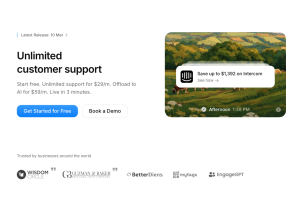
The comparison here isn’t subtle.
Zendesk for a 10-agent team (base only): $550 to $890/month
HelpLoom: $29/month (unlimited agents) or $59/month (with AI chatbot)
The $59/month AI plan includes an AI chatbot that trains on your knowledge base and handles common questions automatically, with escalation to a human when it can’t answer. That’s a meaningful portion of your ticket volume handled without agent time.
At $59/month, you’re paying $708/year for a support tool that does what most small businesses actually need. Compared to $6,600 to $10,680/year for Zendesk, the math isn’t close.
HelpLoom also has no per-agent fee. Add 5 agents or 15 — the bill doesn’t move. The billing is genuinely flat. Check out pricing here.
What Teams Who’ve Made the Switch Say
Joanna Sundharam, Head of Product at WisdomCircle, described the experience of setting up HelpLoom as “live in 20 minutes” with a measurable boost to conversions. That’s the pattern most small businesses report: setup that was faster than expected, and results that showed up quickly.
The friction of switching away from Zendesk — the fear of data loss, downtime, team disruption — turns out to be mostly imagined. The actual migration is a day’s work. The savings start immediately.
What to Do Right Now
If your Zendesk bill is at $500/month or heading there, the calculus is clear. You’re spending $6,000/year on tooling that a flat-rate alternative delivers for $348 to $708/year. That’s $5,300 to $5,650 per year going somewhere other than your product, your team, or your marketing.
The switch is a few hours of work. The savings are immediate. The functionality — shared inbox, knowledge base, AI chatbot, unlimited team members — is present on day one.
There’s no version of this where paying 10x more for Zendesk makes sense for a small business.